
What Is IPTV? A Plain-English Guide for UK Beginners
IPTV explained without the jargon: how internet TV works, what you need, what it costs, the difference between apps and subscriptions, and the questions to ask before you pay anyone.
What is IPTV? It stands for Internet Protocol Television: TV delivered over your broadband connection instead of through an aerial, a satellite dish or a cable in the wall. If you have ever watched a live channel in an app on your phone, you have already used a form of it.
This guide is for people who keep hearing the word and want a straight answer. We explain how IPTV works, what you need at home, what it costs, and the questions worth asking before you give anyone your money. We have kept it jargon-free; where a technical term is unavoidable, we explain it.
What is IPTV in simple terms?
Traditional TV is broadcast: the same signal is sent through the air or down a cable to everyone at once, and your TV picks out the channel you want. IPTV works more like the internet itself. When you choose a channel, your device asks a server for that stream, and the server sends it to you as small packets of data, the same way a web page or a video call arrives.
That difference sounds small, but it changes a lot:
- No aerial or dish. Anywhere with decent broadband can receive it.
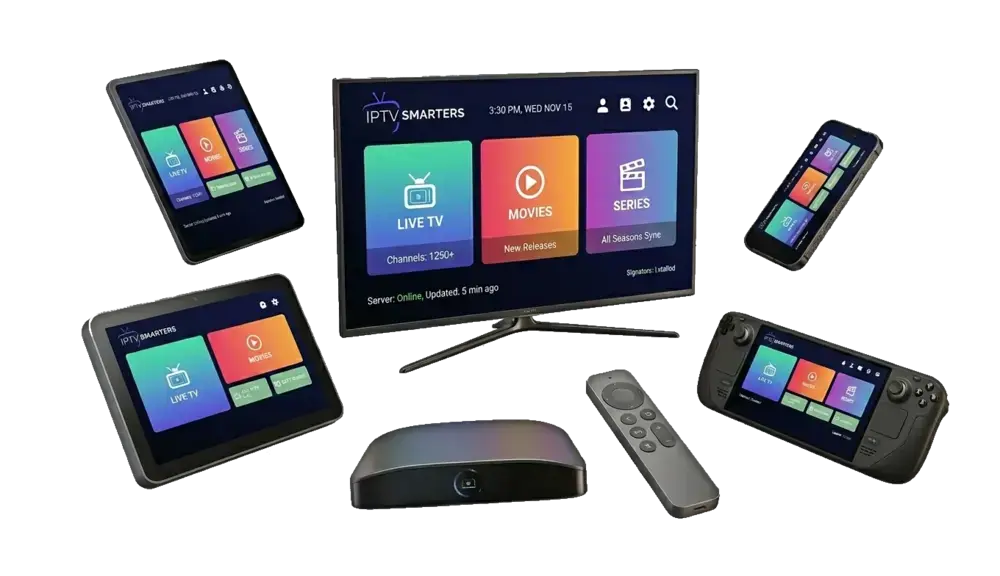
- Any screen. The same service can run on a Smart TV, a Fire TV Stick, a phone, a tablet or a laptop.
- On demand as well as live. Because everything is delivered on request, films and series can sit alongside live channels.
Wikipedia’s article on Internet Protocol television has the full technical history if you are curious.
How does IPTV work? The three parts
Every IPTV setup, from the big broadcasters’ apps to a small subscription service, has the same three parts.
1. The source
Channels and on-demand titles are encoded into digital streams and stored or relayed on servers. Good providers use several servers in different locations so streams stay stable when lots of people are watching.
2. The delivery
Your broadband carries the stream from the server to your home. This is why your connection speed and your Wi-Fi matter so much: they are the pipe the picture travels through.
3. The player
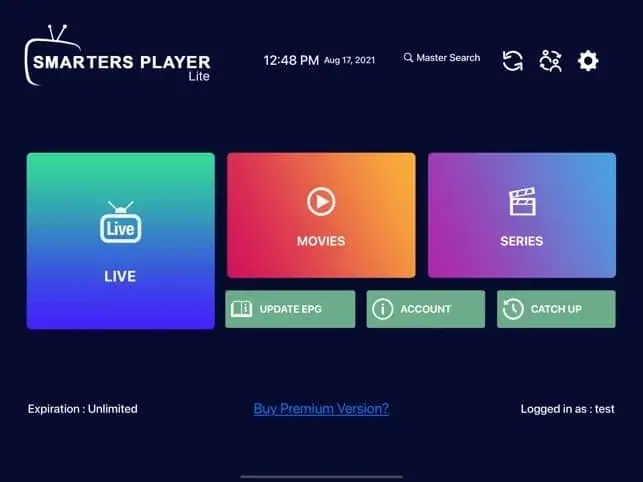
An app on your device receives the stream, decodes it and shows it on screen, along with a TV guide and menus. Popular players include IPTV Smarters Pro, TiviMate and IBO Player Pro. We compare them in the best IPTV app for Firestick.
What is IPTV you may already use?
IPTV isn’t a niche technology. Much of mainstream UK television now reaches homes this way. Catch-up apps on your Smart TV, the streaming boxes supplied by big pay-TV companies, and the live channels inside Freeview Play all rely on internet delivery for at least part of what they show. The difference between those and an IPTV subscription service is mainly who provides the channels and how you pay.
Live TV, on demand and catch-up
Most IPTV services organise content into three areas:
- Live TV: channels as they are broadcast, with a TV guide (EPG) showing what is on now and next. Our article what is EPG explains how the guide works.
- Video on demand (VOD): a library of films and series you can start whenever you like.
- Catch-up: on some channels and some services, the ability to go back and play a programme that has already been shown.
What you need to watch IPTV at home
A broadband connection
As a rule of thumb, around 10 Mbps is enough for a steady HD picture and 25 Mbps or more for 4K. Speed at the TV matters more than the number on your bill, so test from the device you will watch on. Our guide to what internet speed for IPTV shows how.
A device
Any of these will do:
- Amazon Fire TV Stick: the most popular choice. See IPTV on Firestick.
- A Smart TV from Samsung, LG or an Android/Google TV brand. See Smart TV IPTV UK.
- An Android TV box, phone or tablet.
- An iPhone or iPad, with a player from the App Store.
- A Windows PC or Mac, using a desktop player such as VLC.
- A MAG or Formuler box, set-top boxes built for IPTV.
A player app and a subscription
This is the part that confuses most beginners. The app is just a player: on its own, it has no channels. The subscription is what gives you something to watch. You enter the login details from your subscription into the app, and the channels appear.

How IPTV subscriptions are delivered (IPTV explained)
When you buy a subscription, you normally receive one of three types of login:
| Login type | What it looks like | Used with |
|---|---|---|
| Xtream Codes | Username, password and server address | Most apps: Smarters, TiviMate, XP IPTV |
| M3U playlist | A single long web link | VLC, most apps, some Smart TV players |
| MAG portal | A portal address linked to your box’s MAC address | MAG and similar set-top boxes |
If you want to understand the second option in depth, read our guide to what an M3U playlist is.
How much does IPTV cost?
Prices vary widely. Official broadcaster apps may be free with a TV Licence or bundled into a pay-TV package. Subscription services are usually sold for a fixed number of months and paid upfront. Ours, for example, start at £30 for three months, with the lowest monthly cost on the 24-month plan at £4.17 a month. You can see every option on our plans page.
Things to budget for beyond the subscription:
- A streaming device, if your TV can’t run the apps.
- Some Smart TV player apps charge a small one-off activation fee to their developer.
- An Ethernet cable or better Wi-Fi if your signal is weak where the TV is.
For a detailed comparison with a mainstream package, see IPTV vs Sky TV cost.
IPTV compared with other ways to watch
| IPTV subscription | Freeview / Freesat | Pay TV (satellite/cable) | |
|---|---|---|---|
| Needs | Broadband + device | Aerial or dish | Provider’s box, often a dish or cable |
| Monthly bill | Paid upfront for a set period | None | Usually, on a minimum term |
| Works on phones and tablets | Yes | Partly, via apps | Via the provider’s app |
| Set-up | Install an app and log in | Tune the TV | Often an installation |
We look at the free options in detail in IPTV vs Freeview.
Is IPTV legal?
The technology is completely legal: broadcasters themselves use it. What matters is whether the content is being provided with the permission of the people who own the rights. We have written an honest, detailed answer in is IPTV legal in the UK, and we would encourage anyone considering a subscription to read it.
Common IPTV problems (and why they happen)
Buffering
Usually weak Wi-Fi, a busy home network in the evening or an overloaded device. A cable to the router fixes most cases. Full checklist in why does IPTV buffer.
The TV guide is blank or wrong
The guide is a separate data file. Updating it in the app’s settings, or fixing the device’s time zone, solves most problems.
Login errors
Almost always a typing slip. Usernames and passwords are case-sensitive, and a zero is easy to confuse with the letter O.
How to choose an IPTV provider
Many IPTV websites look almost identical and make similar promises. These questions separate the good from the rest:
- Can I test it first? A short trial on your own TV tells you more than any review. We offer a 2-hour free trial.
- Does it renew automatically? Avoid anything that takes repeat payments without asking.
- Are the claims believable? Enormous channel counts and “99.99% uptime” are easy to write and impossible to check.
- How do I get help? Send a message before you buy and see how quickly a real person replies.
- Is the price clear? Look for one total price and the length of the plan, with nothing added at checkout.
IPTV explained in one minute
So, what is IPTV? It is television sent over the internet: a server streams channels and on-demand titles, your broadband carries them, and a player app on your TV, stick or phone shows them. You need a reasonable connection, a compatible device, a player app and a subscription. Choose a provider you can test first, that doesn’t auto-renew, and that answers when you need help.
If you would like to try it, our free trial takes a minute to request on WhatsApp, and our Firestick setup guide walks you through every step.
Frequently asked questions
Is IPTV the same as streaming?
Broadly, yes. “Streaming” usually refers to on-demand services, while IPTV often means live TV channels delivered over the internet, but the underlying technology is the same.
Do I need a Smart TV for IPTV?
No. A Fire TV Stick or Android box turns almost any TV with an HDMI port into an IPTV-ready screen.
Does IPTV work without the internet?
No. It relies entirely on your broadband connection.
Can I use IPTV on holiday?
Usually, yes, as long as you have a decent internet connection. Check your provider’s terms first.
Do I still need a TV Licence?
In the UK, yes, if you watch or record live TV as it is broadcast, whatever device or service you use. See TV Licensing for the rules.
Keep reading
Is IPTV Legal in the UK? An Honest Answer
The technology is legal; some of what is sold with it is not. A clear explanation of UK law, the risks for viewers, how to spot a legitimate service, and where we stand.
IPTV Smarters Pro Setup: Step-by-Step on Every Device
How to install IPTV Smarters Pro on Firestick, Android, Smart TV and iPhone, log in with Xtream Codes or M3U, load the TV guide and fix the errors people hit most.
What Is an M3U Playlist? A Simple Guide for IPTV Users
What an M3U playlist is, what is inside one, how to load it in VLC, IPTV Smarters or TiviMate, how to add a TV guide, and how it compares with Xtream Codes.

Not sure which plan? Ask us first
Tell us your device and your broadband speed and we will tell you honestly what to expect from cheap IPTV UK streaming before you pay a penny.