One payment, no contract and no automatic renewal. When your plan ends, you decide whether to renew.
Smart TV IPTV UK setups are the tidiest way to watch: the app runs on the TV itself, so there is nothing extra plugged into the back and only one remote on the sofa. Most Samsung and LG TVs made in the last five or six years can do it, as can Android TV and Google TV sets from Sony, Philips, TCL and Hisense.
Smart TV IPTV UK: which app for which TV?
TV brand / system
Where to get the app
Apps that work well
Samsung (Tizen)
Samsung Apps store
IBO Player Pro, Smart IPTV, Hot Player
LG (webOS)
LG Content Store
IBO Player Pro, Smart IPTV, Hot Player
Sony, Philips, TCL (Android TV / Google TV)
Google Play Store (or a download link we send)
TiviMate, IPTV Smarters Pro
Hisense (VIDAA)
VIDAA app store
Options vary by model; message us first
Some TV apps charge a small one-off activation fee to their developer after a free trial period. That fee goes to the app maker, not to us, and we will always tell you before you install.
Setting up IPTV on a Samsung TV
Press the Home button and open Apps. Search for your chosen player, for example IBO Player Pro, and install it.
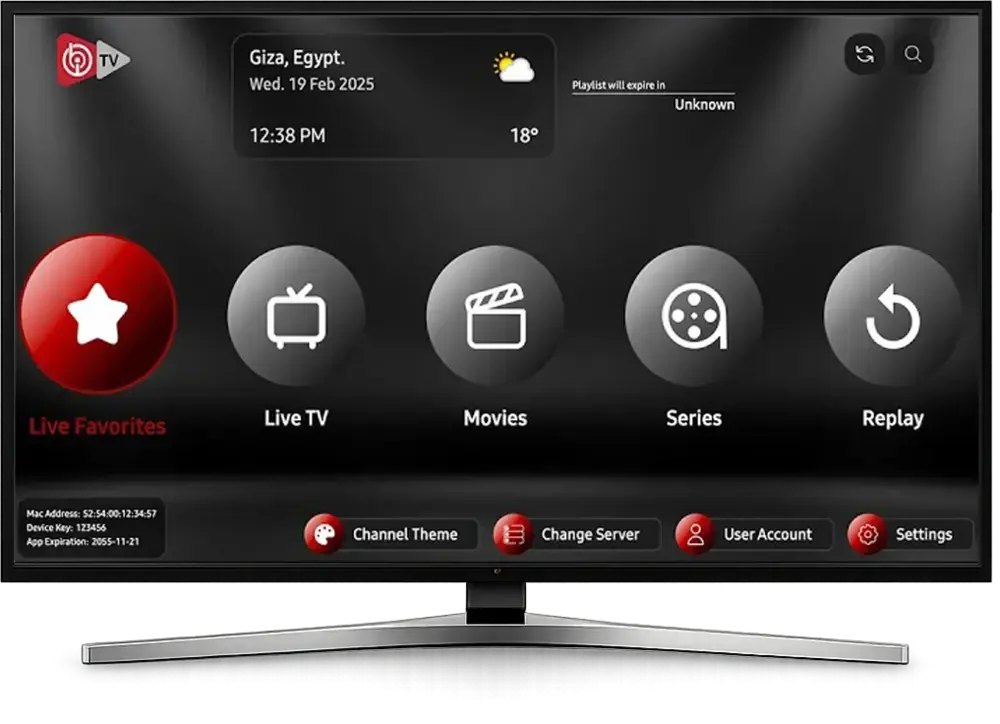
Open the app. It shows a MAC address and a device key on screen.
Take a photo of that screen and send it to us on WhatsApp.
We link your subscription to the app. This usually takes a few minutes.
Close and reopen the app. Your channels, guide and on-demand sections load.
Samsung’s own UK support site explains how to update your TV’s software if the app store looks out of date.
Setting up IPTV on an LG TV
IPTV on an LG TV works almost exactly the same way. Open the LG Content Store from the Home menu, search for the player, install it, then send us the MAC address and key it shows. If the store won’t open, check for a software update in Settings › Support › Software update, or see LG UK support.
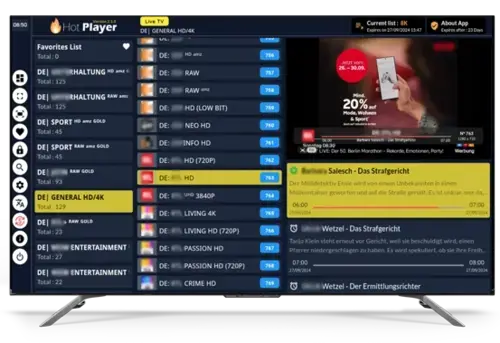
A channel list in Hot Player on a Smart TV.
Android TV and Google TV: Smart TV IPTV UK made easy
If your TV runs Android TV or Google TV, you have the widest choice. Install TiviMate from the Play Store, or IPTV Smarters Pro using the download link we send you, then choose the Xtream Codes login and type in your details. No MAC address needed.
Smart TV or Firestick: which is better?
Both work well, and plenty of Smart TV IPTV UK customers use both in different rooms. A quick guide:
Choose the Smart TV app if your TV is fairly new and you want one remote and nothing extra plugged in.
Choose a Firestick if your TV is older or slow, if you want TiviMate on a Samsung or LG, or if you want to move the stick between TVs.
TVs older than about 2017 sometimes have app stores that no longer support newer players. If yours is one of them, a Fire TV Stick is the cheapest fix.
Fixing common Smart TV IPTV UK issues
The app says “playlist not found”
We may not have linked your MAC address yet, or a character was mistyped. Send us a fresh photo of the screen and we will check.
Channels freeze on Wi-Fi
TV Wi-Fi chips are often weaker than a phone’s. If you can, connect the TV to the router with an Ethernet cable. Our buffering guide has more fixes.
The TV guide is empty
Give it a few minutes after the first login, then refresh the EPG in the app’s settings. Our article what is EPG explains how the guide works.
Want to check the picture on your own TV first? Ask for the 2-hour free trial. Otherwise, pick a plan above and we will get your Smart TV IPTV UK setup running today.
FAQ
Questions we get asked
Does my Smart TV support IPTV?
Most Samsung, LG and Android TVs from roughly 2017 onwards do. Send us your model number and we will check.
Why does the app ask me to pay?
Some Smart TV player apps charge their own one-off activation fee after a trial. That fee goes to the app developer, not us.