One payment, no contract and no automatic renewal. When your plan ends, you decide whether to renew.
If you have an Amazon Fire TV Stick in a drawer, you already own one of the best devices for IPTV. IPTV Firestick UK setups are what we help with most on WhatsApp, and the process is the same every time: install one helper app, add a player, log in. Here is the whole thing, in plain English.
What you need for IPTV Firestick UK viewing
A Fire TV device. Fire TV Stick (3rd gen or newer), Fire TV Stick 4K, 4K Max or Fire TV Cube. For 4K you need a 4K model and a 4K TV.
Broadband. About 10 Mbps for HD, 25 Mbps or more for 4K.
An IPTV subscription. Any of our plans; all include the same content.
Ten minutes and your Fire TV remote.
Step 1: install Downloader
Downloader is a free app from the Amazon Appstore that lets you install apps from a web link. On the Fire TV home screen, go to Find › Search, type “Downloader” and install it. You can also see the listing on Amazon’s Downloader page.
Step 2: allow Downloader to install apps
Open Settings › My Fire TV.
If you don’t see Developer options, open About and click on your device name seven times until it says you are a developer.
Go back to Developer options › Install unknown apps and switch it on for Downloader.
This only lets Downloader install apps you choose. Don’t give the permission to apps you don’t recognise.
Step 3: install your IPTV player
Open Downloader and enter the download link we send you on WhatsApp for your chosen player. The two we recommend most for Fire TV are:
IPTV Smarters Pro: free, simple, with separate sections for live TV, films and series. A good first choice.
TiviMate: a proper TV-style guide and very fast channel switching. The premium version unlocks extras such as favourites groups and recording to a USB drive.
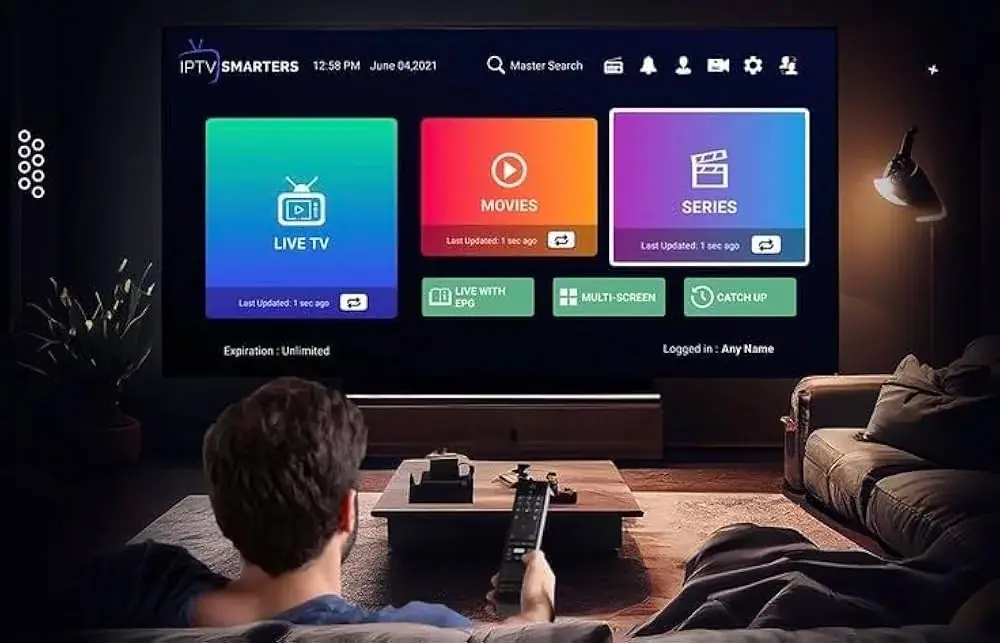
A typical IPTV player home screen after logging in.
Step 4: log in to your IPTV Fire TV Stick app
Open the player and choose Xtream Codes API (sometimes called “Login with Xtream”). Enter the username, password and server URL exactly as they appear in our message. Capital letters matter. The app loads your channels, guide and on-demand library, which takes a minute or two the first time.
Getting the best IPTV Fire TV Stick picture
Use Ethernet if you can. Amazon sells an Ethernet adapter for Fire TV sticks. Wired is steadier than Wi-Fi, especially for 4K.
Use the 5 GHz Wi-Fi band. If you have to use Wi-Fi, connect to your router’s 5 GHz network and keep the stick in view of the router where possible. The HDMI extender that comes in the box helps.
Clear the cache now and then. Settings › Applications › Manage installed applications › your player › Clear cache.
Restart weekly. Hold Select and Play/Pause for five seconds to restart the stick. It clears memory and keeps things smooth.
If a channel buffers, our guide to why IPTV buffers covers every fix we know.
Which Fire TV Stick is best for IPTV Firestick UK viewing?
If you are buying new, the Fire TV Stick 4K or 4K Max is worth the small extra cost over the basic model: more memory, 4K and faster Wi-Fi. The older “Lite” models work for HD, but they can feel slow with large channel lists.
Common Firestick questions
Is it safe to enable apps from unknown sources?
Enabling the permission for Downloader alone is safe, as long as you only install apps from links you trust. We only ever send links to well-known players.
Can I use the same login on two Firesticks?
You can install the app on both. If you want to watch on both at the same time, tell us before you order so we can confirm the options.
The full, screenshot-by-screenshot walkthrough is in our guide to setting up IPTV on a Firestick. Ready to go? Choose a plan above and we will send your login on WhatsApp. Your IPTV Firestick UK setup can be running tonight.
FAQ
Questions we get asked
Which Firestick is best for IPTV?
The Fire TV Stick 4K Max, thanks to its extra memory and faster Wi-Fi. The standard 4K model is also a good choice.
Do I need a VPN on my Firestick?
A VPN is not required for our service to work. Some people use one for privacy; if you do, choose a UK server close to you to keep speeds up.