
How to Cancel Sky TV: A Step-by-Step UK Guide
Check your minimum term, give notice, handle your equipment and avoid paying twice: a practical guide to leaving Sky TV without surprises.
Thinking about leaving? This guide explains how to cancel Sky TV step by step: what to check before you call, how notice periods and early termination charges work, what happens to your equipment, and how to avoid a gap in your viewing. It is based on Sky’s published terms and what customers tell us; Sky’s own rules can change, so always check your account and Sky Help for the current details.
We are not affiliated with Sky. We simply help a lot of people who are switching.
Before you cancel Sky TV: four things to check
1. Your minimum term
Most Sky TV packages are sold on a minimum term; 24 months is common for new customers, according to the offers on sky.com in September 2026. Log in to your Sky account (My Sky) to see when yours ends. If you are still inside it, you will usually have to pay an early termination charge.
2. Your notice period
Sky generally asks for 31 days’ notice to cancel, as stated in its terms for many of its products. Plan your cancellation date so the notice period ends when you want your service to stop.
3. What else is bundled
If you have Sky Broadband, Talk or Mobile on the same account, check whether cancelling TV affects their prices or discounts. Removing TV from a bundle can change what you pay for the rest.
4. Your equipment
Check whether your box, dish or other equipment belongs to you or has to be returned, and whether there is anything left to pay on a device plan (for example on a Sky Glass TV). Your account and Sky Help explain what applies to you.
How to cancel Sky TV, step by step
- Note your key dates: minimum-term end date and the date you want service to stop.
- Set up your alternative first so you don’t lose TV in between (see below).
- Contact Sky to cancel. Use the routes listed on Sky Help. Have your account number and security details ready.
- Be clear and firm. Say you want to cancel your TV subscription and ask for the exact end date and any charges.
- Get it in writing. Ask for a confirmation email or note the reference number and the name of the adviser.
- Return equipment if asked, and keep proof of postage.
- Check your final bill and your bank statements for the following month.
What to have ready when you call
- Your Sky account number and the account holder’s details.
- Your minimum-term end date from My Sky.
- The date you want your TV service to stop.
- A list of any other Sky services on the account you want to keep.
- A pen and paper for reference numbers, names and quoted charges.
Retention offers: should you take one?
When you cancel Sky TV, you may be offered a discount to stay. That can be a good deal, but before accepting, ask:
- Does the offer start a new minimum term?
- How long does the discount last, and what is the price afterwards?
- Can the price still change during the new term?
If the answers don’t suit you, you are free to go ahead and cancel.
Leave Sky TV without losing your broadband
If Sky is also your broadband provider, you can usually keep Sky Broadband and cancel only the TV. Any broadband connection works for IPTV, including Sky’s. If you are moving broadband too, UK broadband switching rules have made it simpler to switch between most providers; your new provider can explain the process.
Setting up your alternative before you leave
The smoothest switches overlap by a few days. Options include:
- Freeview or Freesat for over 100 free channels with no monthly bill. See IPTV vs Freeview.
- An IPTV subscription on a Fire TV Stick or Smart TV. Test it first with our free 2-hour trial, and read is IPTV legal in the UK so you can choose knowingly.
- On-demand streaming apps for films and series.
If cost is the main reason you are leaving, our breakdown of IPTV vs Sky TV cost uses Sky’s own published prices to compare totals over 12 and 24 months.
After you leave Sky TV
- Check your final bill against the charges you were quoted.
- Keep your confirmation email or reference number for at least a few months.
- Watch your bank statement for the next billing date to make sure payments have stopped.
- Update your TV Licence details only if your circumstances change; you still need one to watch live TV.
- Re-tune your TV if you are switching to Freeview on the same set.
If something goes wrong, contact Sky first. If a complaint isn’t resolved, Sky’s complaints page explains how to escalate it.
Common mistakes when you cancel Sky TV
- Cancelling before checking the term, then being surprised by an early termination charge.
- Forgetting the notice period, and paying for an extra month.
- Not returning equipment when asked, which can lead to a charge.
- Accepting a retention offer without checking whether it starts a new contract.
- Leaving without a replacement, and spending a weekend without TV.
A simple timeline for switching
- Five weeks before: check your minimum-term date and charges in My Sky.
- Four and a half weeks before: test your replacement, for example with a free trial, and give Sky 31 days’ notice.
- Final week: watch any recordings you want to keep and set up your new service on every TV.
- After the end date: return equipment if asked and check your final bill.
Summary
Knowing how to cancel Sky TV smoothly comes down to preparation: check your minimum term and notice period in My Sky, sort out equipment and bundled services, set up your replacement first, then contact Sky and get confirmation in writing. If you are looking at IPTV as your replacement, see our plans and the Firestick setup guide.
Frequently asked questions
Can I cancel Sky TV online?
Sky lists the current ways to cancel on its help pages. Check Sky Help for the options available on your account.
How much does it cost to leave Sky early?
It depends on your package and how long is left on your minimum term. Sky will tell you the exact early termination charge when you ask.
Do I have to return my Sky box?
It depends on your equipment and when you joined. Sky will confirm whether a return is needed when you cancel.
What happens to my recordings when I cancel Sky TV?
Recordings are stored on your Sky box or in Sky’s cloud, depending on your equipment. Once your TV subscription ends you will usually lose access to them, so watch anything important before your end date.
Can I pause Sky TV instead of cancelling?
Sky has offered ways to pause or downgrade some products at times. Ask when you call; downgrading to a cheaper pack may suit you better than leaving altogether.
Can I keep Sky Broadband if I cancel Sky TV?
Usually yes, though your broadband price may change if it was part of a bundle.
Keep reading

What Is IPTV? A Plain-English Guide for UK Beginners
IPTV explained without the jargon: how internet TV works, what you need, what it costs, the difference between apps and subscriptions, and the questions to ask before you pay anyone.
Is IPTV Legal in the UK? An Honest Answer
The technology is legal; some of what is sold with it is not. A clear explanation of UK law, the risks for viewers, how to spot a legitimate service, and where we stand.
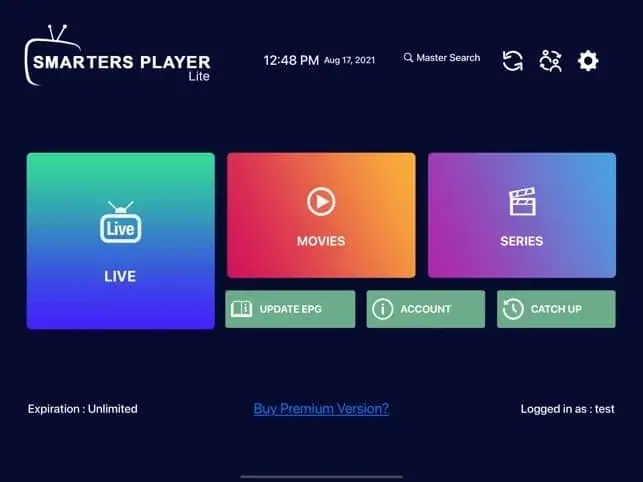
IPTV Smarters Pro Setup: Step-by-Step on Every Device
How to install IPTV Smarters Pro on Firestick, Android, Smart TV and iPhone, log in with Xtream Codes or M3U, load the TV guide and fix the errors people hit most.

Not sure which plan? Ask us first
Tell us your device and your broadband speed and we will tell you honestly what to expect from cheap IPTV UK streaming before you pay a penny.